Built for Gmail & Google Workspace · Free beta · macOS

Mail. Calendar. Meetings.
One window.

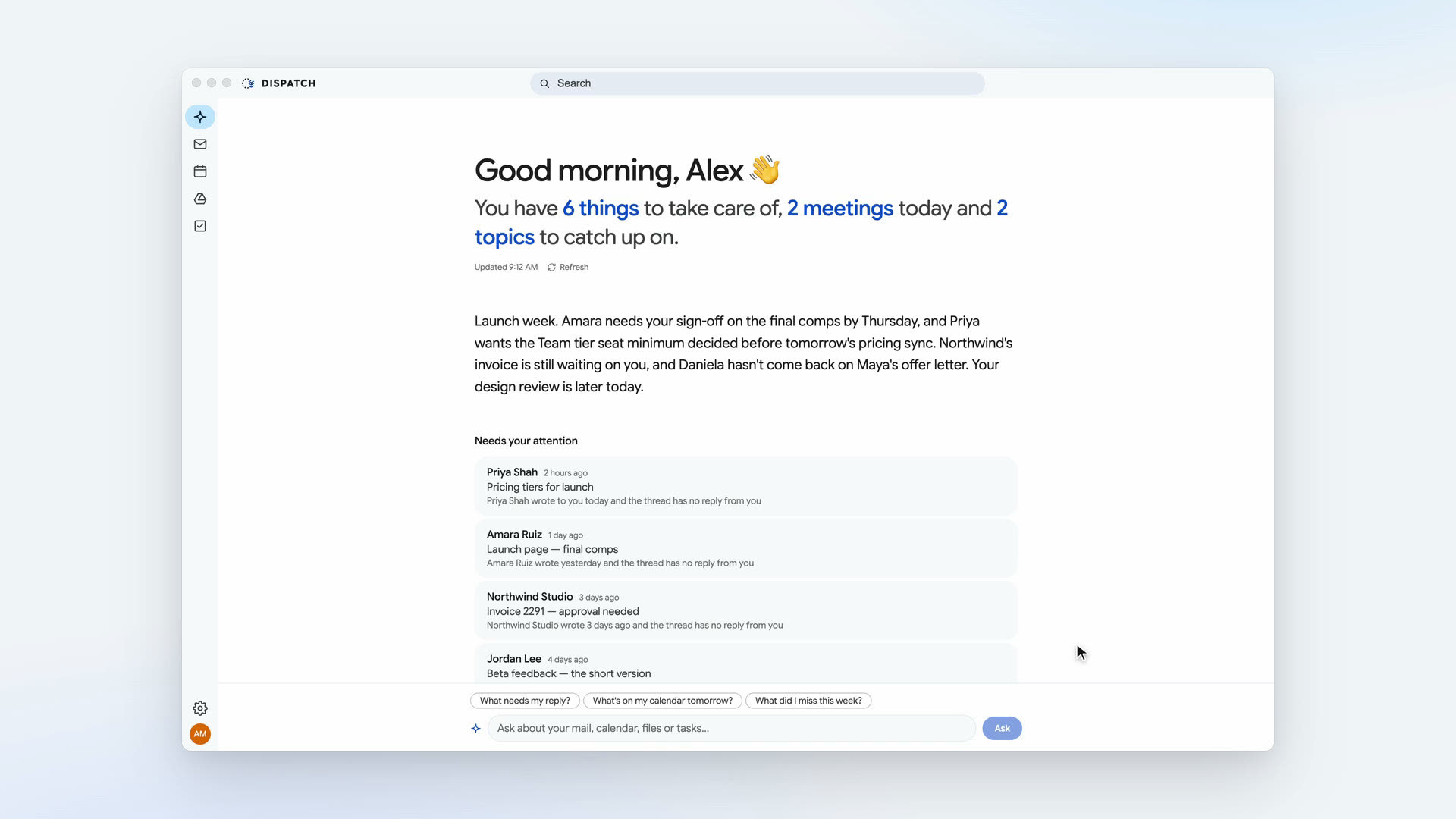
Dispatch is the enterprise desktop client Google never built — the calm, keyboard-fast focus of a real mail app, powered end-to-end by your Google account.

Free during beta · macOS · Works with Gmail and Google Workspace
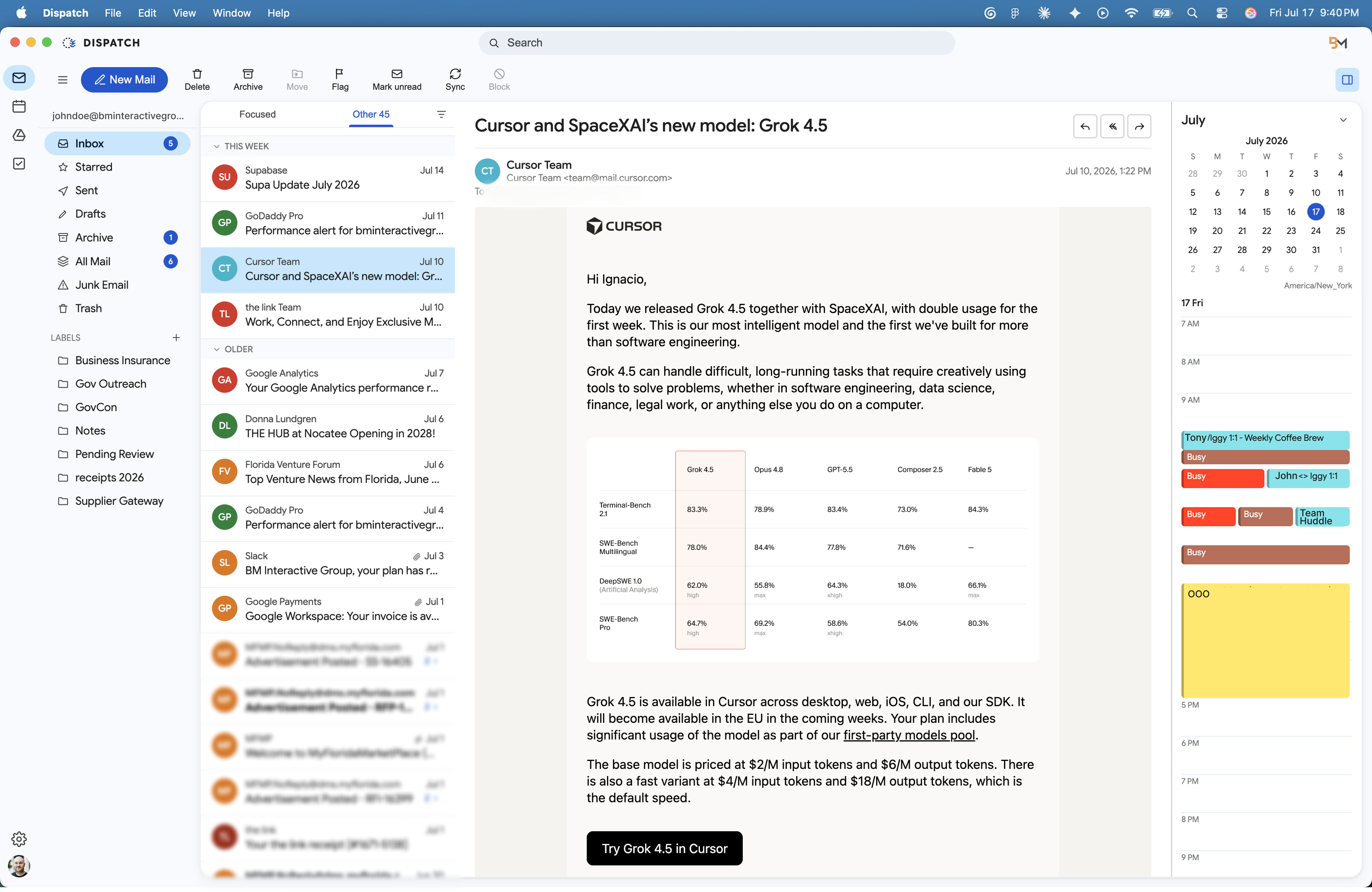
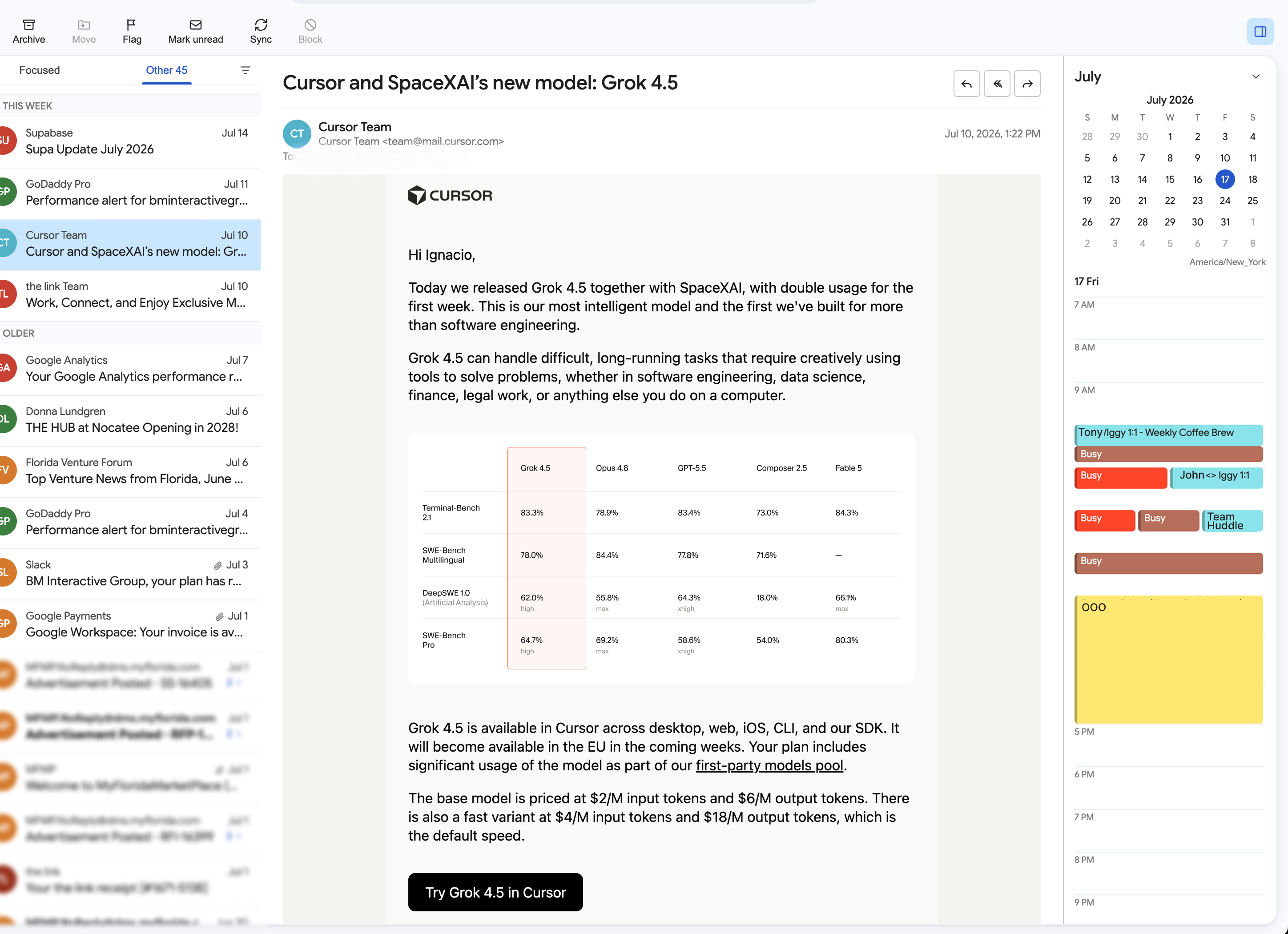
Dispatch mail view: inbox, reading pane, and today’s agenda in one window

Six tabs. Zero flow.

Mail in one tab, calendar in another. Drive in a third. Zoom links scattered through all of them. You don't work at a desk — you work in a tab strip.
Old desktop clients aren't the answer. IMAP breaks sync, drops your signature, and treats your calendar like a stranger it's never met.
And Outlook? The layout is right — but it was never built to speak Google.

Your tools shouldn't need this much managing.
So we built the one that doesn't.

One place

Everything, exactly where you left it.

Inbox on the left. Today's schedule on the right. Your message in the middle. The three-pane focus Outlook made famous — minus the beige, plus your actual Google account.

Dispatch speaks Google's real APIs, not IMAP. Labels, signatures, read states — perfectly in sync with Gmail, everywhere, always.

Dispatch three-pane mail view
Scheduling

A calendar that does the back-and-forth for you.

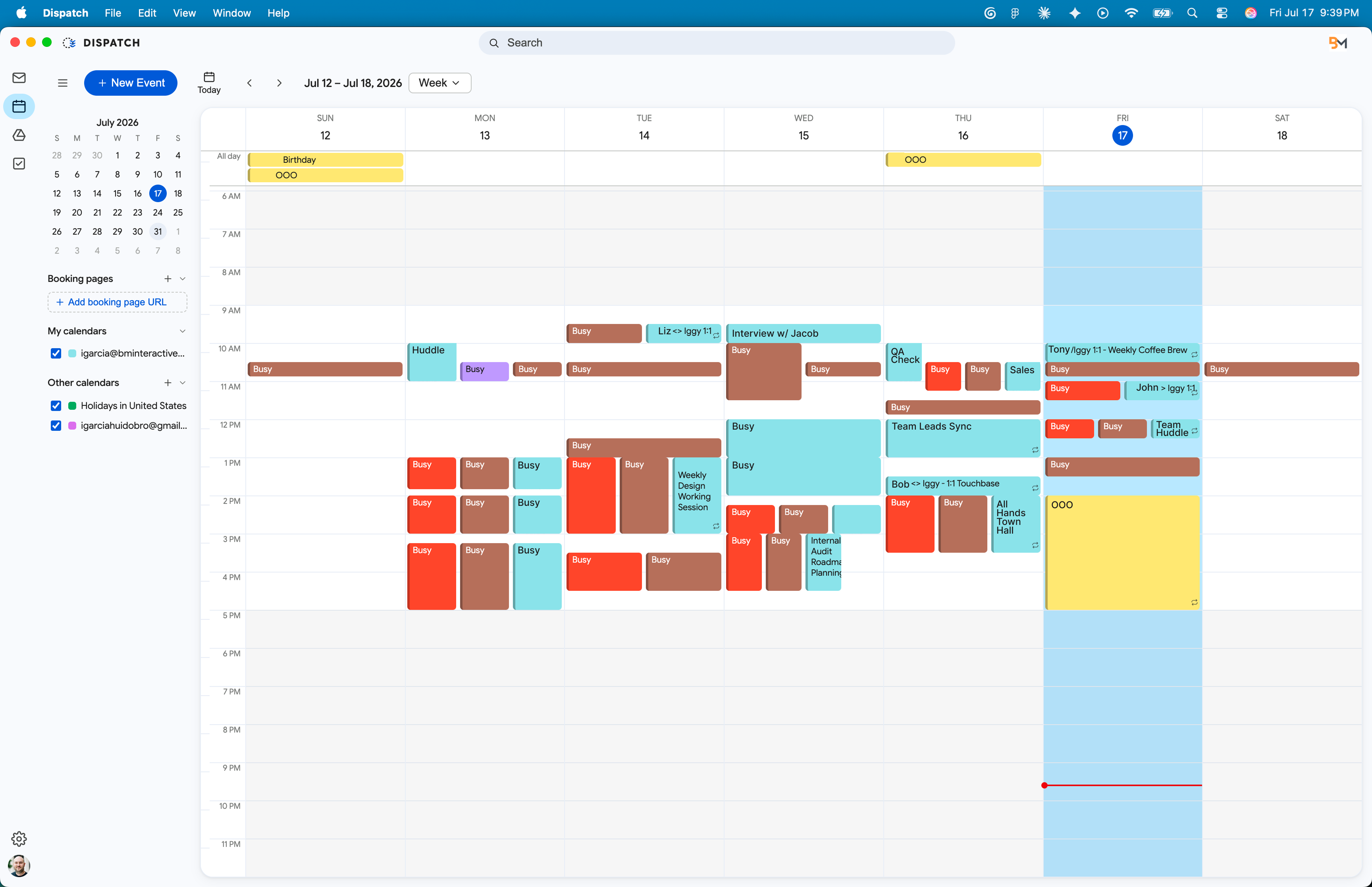
See everyone's availability before you pick a time. Get a Zoom link the moment you need one. And when a time doesn't work — propose a new one without leaving the invite.

Accept, decline, or counter from mail or calendar. Either way, everyone stays in sync.

Dispatch calendar week view with colored events across calendars
Search

Search that's already done.

Start typing and the answers arrive — people with faces, messages with context, operators when you want precision. Recent results are instant. The rest fill in while you blink.

Product screenshot coming here
Meetings

Zoom, wired in.

Choose "Zoom meeting" on any event and the link is just… there. Move the event — the meeting moves. Delete it — the meeting's gone. No orphaned links haunting your account.

Google Meet works out of the box, too. Your meeting, your choice.

Product screenshot coming here
Drive · Tasks

The rest of your work, without the tab zoo.

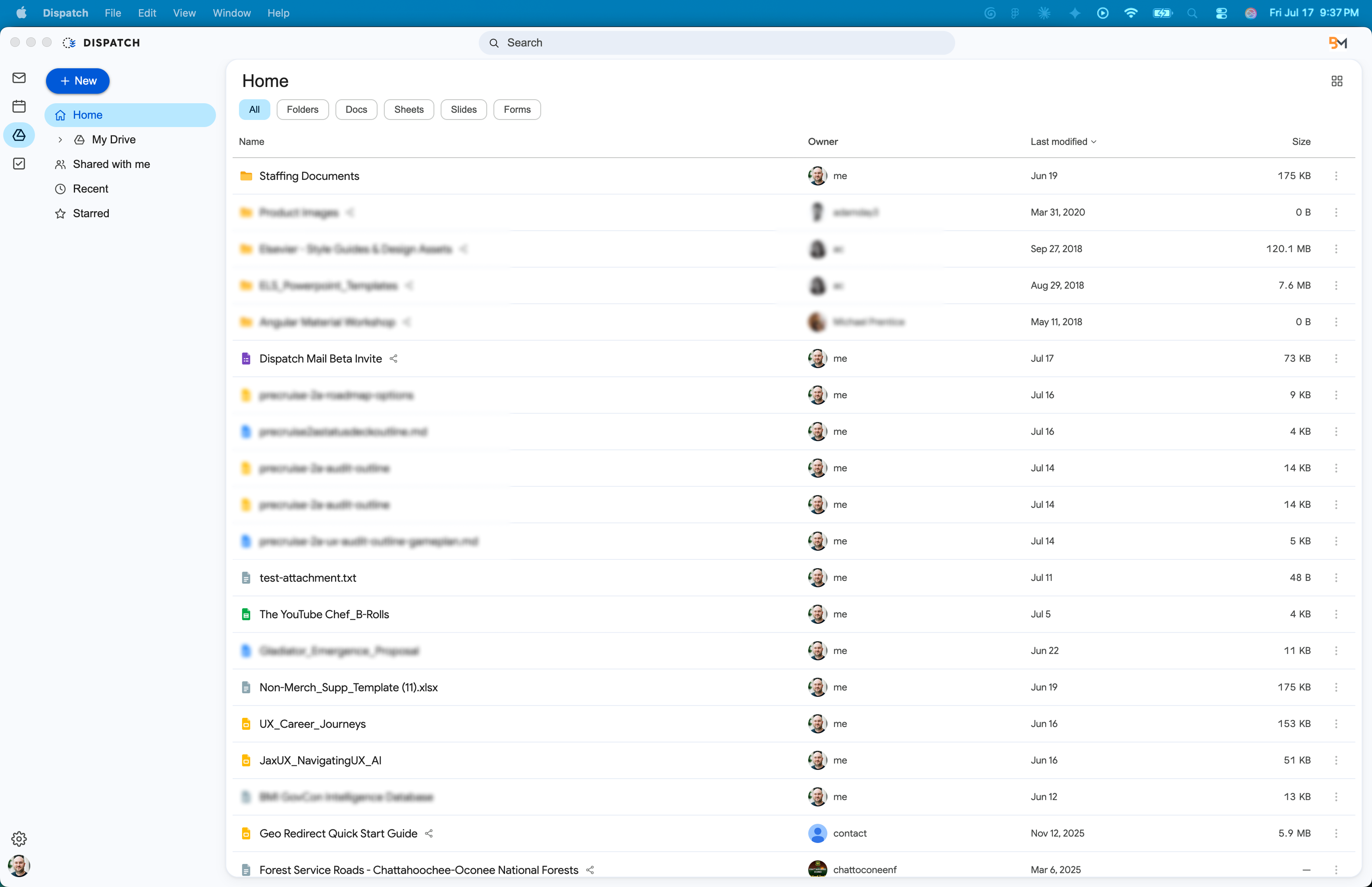
Browse and share Drive files, tick off tasks, attach anything to anything — from the same window your mail lives in. Docs, Sheets, and Slides open exactly where they should.

Dispatch Drive view with folders and files
Private by architecture

No servers. No snooping.
No kidding.

Dispatch has no cloud. Your mail syncs straight from Google to your Mac, cached locally, encrypted with your keychain. We couldn't read your email if we wanted to — and we've never wanted to.

No telemetry No ads, ever Local-first cache Keychain-encrypted Read the privacy policy

See it move.

Spring-loaded motion, instant search, one continuous flow. Some things you have to watch.

Film coming soon

Be first in line.

Dispatch is in private beta on macOS, and seats are limited. Tell us who you are and request an invite — we review every request and send invites as seats open. Free for the whole beta.

Thank you for your interest in Dispatch. We've received your request and will notify you once it's reviewed. ✓

Works with Gmail and Google Workspace accounts. By signing up, you agree to receive beta invites, product updates, and occasional news from BM Interactive Group. Unsubscribe anytime.